
Get access
Discover how to connect with Elia Group’s APIs
Sign in
To get access to the traXes API, first make sure you are logged in to the platform.
Subscribe to a service
Go to
- Applications and API
- Check you are subscribed to the service of your choice, or request subscription.
Note: If you don’t have API manager rights and can’t create application, this help article explains how company administrators can grant it.
Get the bearer token
- Click on the get client ID/secret button to get your client ID/client secret
- Use your API platform (Postman, CURL, insomnia, VSCode,...)
- Copy and paste this cURL or create a new request with the following information:
curl --location
'<Connection URL>' \
--header 'Content-Type: application/x-www-form-urlencoded' \
--data-urlencode 'grant_type=client_credentials' \
--data-urlencode 'client_id=TypeYourClientID' \
--data-urlencode 'client_secret=TypeYourClientSecret' \
--data-urlencode 'scope=esp' \
Copy to clipboard
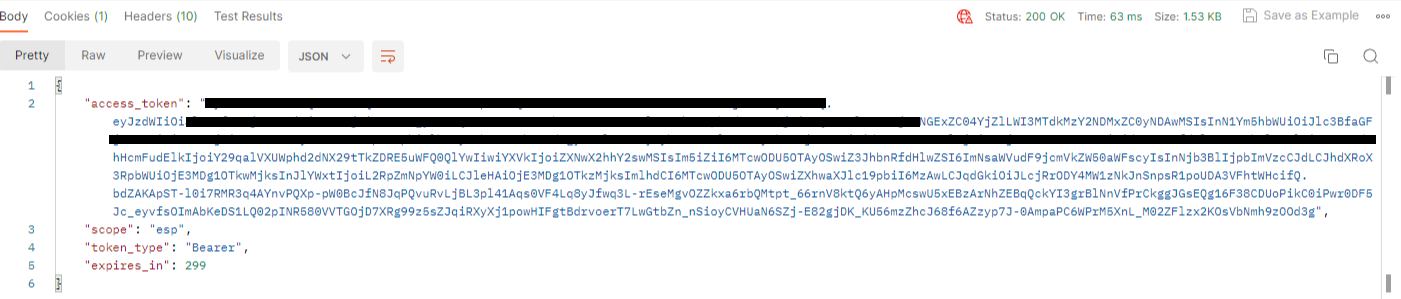
- The service will return your bearer token
Test the API
On the API documentation page of the service you are using, you can find the API URL and endpoints.
- Click on Authorize to test the API on our environment with your bearer token
- Click on View Raw to download the swagger

© Elia Group, 2025
Cookies preferences
To optimise your user experience, Elia collects information about the way you use this website. The cookie policy informs you which information is involved and gives you control of the way in which it is used.